compare · manageengine opmanager vs solarwinds
OpManager vs SolarWinds pricing at 25 to 1,000 devices, per edition and per node
Short answer: at list price OpManager is far cheaper. 100 devices cost $795 a year on OpManager Standard or $1,145 on Professional. SolarWinds Observability Self-Hosted starts at $8 per node a month on a multi-year contract billed annually, so 100 nodes is at least $9,600 a year, about 8.4 times OpManager Professional. SolarWinds sells volume discounts and quotes NPM only through sales, so treat that ratio as the number to negotiate against.
If what you really need is an alert when the website, VPN gateway or a branch office stops answering from the internet, AlertPing Team checks 100 of them from outside every 30 seconds for $348 a year.
alertping ▸ check preview
simulated
                ▸ type a domain to watch a check and an alert play out
                ▸ simulation of 2 regions · US East · EU Central
                ▸ waiting…▌


                        queued
                        probing▌
If ever goes down, you get:
Alert fired ▸ 2 channels · 6.2 s after first failure
AlertPing app
● DOWN : HTTP timeout confirmed from 2/2 regions (US East, EU Central). Incident opened.
sms · on-call
AlertPing: DOWN. Confirmed 2/2 regions . First fail: EU Central.
Simulation, not a measurement of your site: this preview runs entirely in your browser and the latencies are generated from the domain you typed. Real checks on your monitors run from our US East and EU Central regions.
$1,145 vs $9,600
a year for 100 devices, OpManager Professional against the SolarWinds Self-Hosted list floor
7.0x to 16.0x
how far the SolarWinds list floor sits above OpManager Professional from 25 to 1,000 devices
$7,097
OpManager Pro at 250 devices with config backup and NetFlow, still under SolarWinds' $24,000 floor
$348 / yr
AlertPing Team, 100 outside checks every 30 seconds, no server and no poller
manageengine vs solarwinds
One vendor prints a price list and the other sends a quote
ManageEngine sells OpManager in device packs of 10, 25, 50, 100, 250, 500 and 1,000 on a yearly subscription, with two user logins per pack, and the whole price list sits in its public store. You install it on your own Windows or Linux server. There is also a perpetual license (Professional at 100 devices is $2,845 up front plus 20% a year for maintenance) and a Free Edition for 3 devices.
SolarWinds no longer prints a price for Network Performance Monitor on its own. The NPM page offers a quote and a 30-day trial, and points to SolarWinds Observability Self-Hosted, the platform that now carries NPM's features. That platform "starts at $8" per node a month, multi-year contracts billed annually, with volume discounts and tiers that are not published. The hosted version, SolarWinds Observability SaaS, lists network and infrastructure monitoring at $15.75 per node a month.
One more thing to check in your quote: SolarWinds' Self-Hosted page does not define what a node is. On the SaaS side a network device or host counts as one node. An OpManager device is a switch, router, server or firewall. Ask SolarWinds to state the unit in writing before you compare line by line.
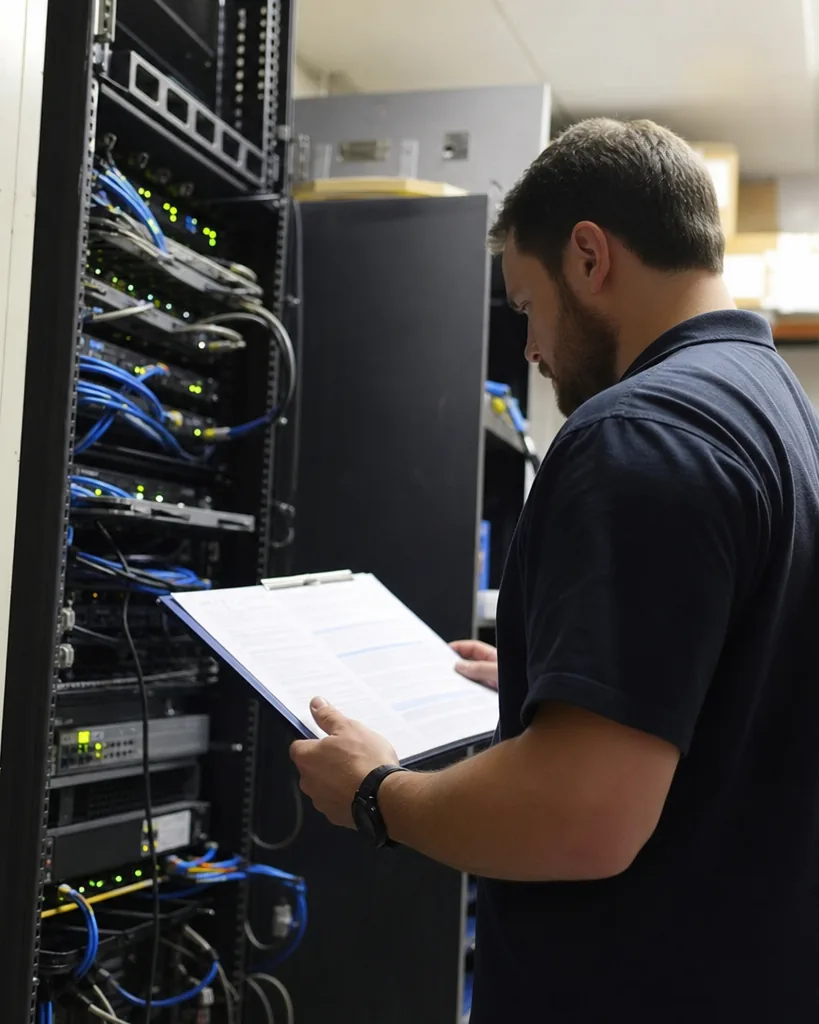
opmanager vs solarwinds pricing
OpManager vs SolarWinds price at every size
Yearly list prices in US dollars, read from ManageEngine's store and solarwinds.com in October 2026. The SolarWinds columns multiply the published "starts at" rate by the node count, so they are a floor before discounts, not a quote.
| Devices | OpManager Standard | OpManager Professional | SolarWinds Self-Hosted floor ($8 a node) | SolarWinds SaaS network ($15.75 a node) | Self-Hosted vs Professional |
|---|---|---|---|---|---|
| 25 | $245 | $345 | $2,400 | $4,725 | 7.0x |
| 50 | $445 | $645 | $4,800 | $9,450 | 7.4x |
| 100 | $795 | $1,145 | $9,600 | $18,900 | 8.4x |
| 250 | $1,845 | $2,645 | $24,000 | $47,250 | 9.1x |
| 500 | $2,895 | $3,845 | $48,000 | $94,500 | 12.5x |
| 1,000 | $4,095 | $5,995 | $96,000 | $189,000 | 16.0x |
OpManager figures are annual subscriptions. Standard and Professional stop at 1,000 devices on one server; the distributed Enterprise edition runs $4,595, $6,695 and $10,495 a year for 250, 500 and 1,000 devices. The ratio widens with size because OpManager's per-device price falls from $13.80 at 25 devices to $6.00 at 1,000, while the SolarWinds list rate is flat until a discount is negotiated.
the add-on question
What OpManager costs once you add what SolarWinds bundles
The fair objection to the table above is that SolarWinds Observability bundles more than bare device polling, and OpManager sells configuration backup (Network Configuration Manager) and flow analysis (NetFlow Analyzer) as separate add-ons. So load OpManager up.
At 250 devices, OpManager Professional is $2,645, NCM for 250 devices is $1,534 and NetFlow for 250 interfaces is $2,918. That is $7,097 a year. Add the unlimited user pack ($958) and failover ($1,915) and it is $9,970. The SolarWinds Self-Hosted floor for the same 250 nodes is $24,000 before any add-on SolarWinds itself charges for. The gap only closes if SolarWinds discounts its list rate by more than half.
The OpManager pricing breakdown has every add-on tier, and the SolarWinds pricing post walks through the SaaS rate card line by line.
250 devices, loaded
$7,097
OpManager Pro + NCM 250 + NetFlow 250
+ unlimited users, failover $9,970
SolarWinds Self-Hosted floor $24,000
100 devices, loaded
$3,517
OpManager Pro + NCM 100 + NetFlow 100
+ unlimited users $4,475
SolarWinds Self-Hosted floor $9,600
the discount you would need
To match a fully loaded OpManager at 250 devices ($9,970), SolarWinds has to come in at about $3.32 a node a month, 58% under its own list floor.
opmanager vs solarwinds features
Features side by side, with the outside-in option
The AlertPing column is there because many teams reading this only need part of what either tool does. It is not a network monitor, and the table says so.
| ManageEngine OpManager | SolarWinds (NPM in Observability Self-Hosted) | AlertPing | |
|---|---|---|---|
| Delivery | Installed on your Windows or Linux server | Self-Hosted on your servers, or hosted as Observability SaaS | Hosted, checks from US East and EU Central |
| Published price | Yes, every pack in the public store | "Starts at $8" per node a month; NPM by quote | Yes, flat plans on the pricing page |
| Contract | Annual subscription or perpetual license | Multi-year contracts billed annually | Monthly or yearly |
| Entry paid price | Standard $95 a year for 10 devices | Quote, list floor $96 a node a year | Starter $49 a month or $288 a year |
| Free option | Free Edition, 3 devices | 30-day trial | Interactive demo, then paid plans |
| SNMP, discovery, maps | Yes (Layer 2 discovery from Professional) | Yes | No |
| Hop-by-hop path analysis | Network path analysis from Professional | NetPath, latency and loss per hop | No |
| VMware, Hyper-V, Nutanix | Professional and Enterprise | Yes | No |
| Flow analysis | NetFlow add-on, from $198 a year | Part of the platform tiers, by quote | No |
| Configuration backup | NCM add-on, from $190 a year | Part of the platform tiers, by quote | No |
| APM, logs, database on one bill | Separate ManageEngine products | Yes on SaaS: $27.50 a service, $5 a GB, $70 a database | No |
| Website and API checks | From your own server | SaaS synthetic, $10 per 10 uptime checks | Every 30 seconds on Team, confirmed from a second region |
| Knows when your own uplink is down | Only with a remote probe (Enterprise) or a second server | Not from an on-site poller | Yes, it checks from outside |
| SMS alerts | Configured on your side | Configured on your side | Included, 100 to 3,000 a month by plan |
verdict by situation
Which one to buy for your network
Pick OpManager
You want a published price per device, a single server on site and the option to pay once. 100 devices cost $1,145 a year on Professional, and even fully loaded at 250 devices it stays under $10,000.
Pick SolarWinds
You need network, application, log and database monitoring on one platform for a large estate, you value NetPath, or your team already runs Orion-era SolarWinds and retraining costs more than the license gap.
Add AlertPing to either
Customers reach websites, APIs, VPN gateways or mail servers from the internet. A poller inside the network cannot report its own outage, and both tools poll from inside.
Use AlertPing alone
Your list is mostly URLs, public IPs and ports, not switches. 100 of them cost $348 a year on Team, with SMS, escalation and a status page and nothing to install.
How to hold a SolarWinds quote to the OpManager number
Bring the exact OpManager line for your size, with add-ons, to the SolarWinds call. Ask for the price per node per month, the definition of a node, the contract length and the renewal cap in writing. ManageEngine's own comparison page still quotes SolarWinds NPM "starting at $2,995", an old perpetual figure we could not find anywhere on solarwinds.com today, so do not anchor on it. Anchor on the $8 per node list rate and on what you would pay ManageEngine for the same devices.

the blind spot both share
A poller inside the network cannot report its own outage
OpManager and SolarWinds Self-Hosted both poll from servers you run. When the office internet link, the firewall or the monitoring server goes down, the tool goes quiet at the same moment your customers start noticing. It can tell you a switch port is down. It cannot tell you that nobody outside can reach your website.
AlertPing checks your public endpoints from US East and EU Central and confirms each failure from the second region before it pages anyone, by SMS, email, Slack or webhook. Point it at the website, the VPN gateway, the mail server and each branch office IP, and keep whichever network monitor you choose for the switches inside. The ping monitoring and port monitoring pages show the exact checks.
What AlertPing does not do: no SNMP polling, no NetFlow, no configuration backup, no topology maps.
questions buyers ask
OpManager vs SolarWinds questions
Is OpManager cheaper than SolarWinds?
Yes, at list price and by a wide margin. 100 devices cost $1,145 a year on OpManager Professional, while SolarWinds Observability Self-Hosted starts at $8 per node a month, at least $9,600 a year for 100 nodes. SolarWinds offers volume discounts, so a real quote can be lower, but it would need to fall by more than half to match a loaded OpManager.
How much does SolarWinds NPM cost?
SolarWinds no longer publishes a standalone NPM price; the product page offers a quote and a 30-day trial. Its features now ship in SolarWinds Observability Self-Hosted, which starts at $8 per node a month on multi-year contracts billed annually. The hosted SaaS edition lists network and infrastructure monitoring at $15.75 per node a month.
Is SolarWinds better than OpManager?
SolarWinds is broader, not simply better. It puts network, application, log and database monitoring on one platform and has NetPath hop-by-hop analysis, which suits large estates. OpManager covers core network and server monitoring at a fraction of the price, with a published price list, a perpetual option and a 3-device Free Edition.
What is the best alternative to SolarWinds NPM?
For on-premises network monitoring at a published price, OpManager is the closest like-for-like replacement, and PRTG is the other common shortlist entry. If what you need is alerting on websites, VPN gateways and branch IPs from outside the network, an external uptime monitor such as AlertPing Team does that for $348 a year.
Does OpManager have a free version?
Yes. OpManager Free Edition monitors up to 3 devices with 2 users. Past that you buy a device pack: Standard starts at $95 a year for 10 devices and Professional at $145. SolarWinds has no free tier for its observability platform, only a 30-day fully functional trial.
Can OpManager replace SolarWinds?
For most SNMP network and server monitoring, yes. OpManager Professional adds VMware, Hyper-V, Layer 2 discovery, path analysis and a REST API, and NCM and NetFlow add-ons cover configuration and flow. It will not replace SolarWinds application, log and database monitoring on one bill; those are separate ManageEngine products.
related comparisons
how we page you
Two regions have to agree
A single failed probe never wakes anybody. A second region, US East or EU Central, re-checks first, so a hiccup on one route is not a 3am phone call.
what a plan covers
SMS is in the price, not in credits
Email, Slack and webhook alerts are unlimited on every plan, SMS comes with a monthly allowance, and each plan hosts status pages. No credit packs, no per-message fee, no per-monitor math.
how setup works
One URL, no agent to install
Paste the address, choose where alerts go, and the first check runs from both regions. No agent, no config file, nothing to deploy on your side.
Outside checks for whichever monitor you pick
Websites, APIs, public IPs, ports and SSL certificates, confirmed from a second region. Team watches 100 monitors every 30 seconds for $59 a month, or $348 a year.